What is Business Continuity?
Anonymous Security Expert
VanderNet Security Team
Key Takeaways
- 1.Backups are the bare minimum — pair them with spare hardware and redundant servers to cut recovery from weeks to hours
- 2.Redundant internet uplinks from separate infrastructure keep your business online during outages
- 3.Cross-train staff and document procedures so a single absent employee can't cripple operations
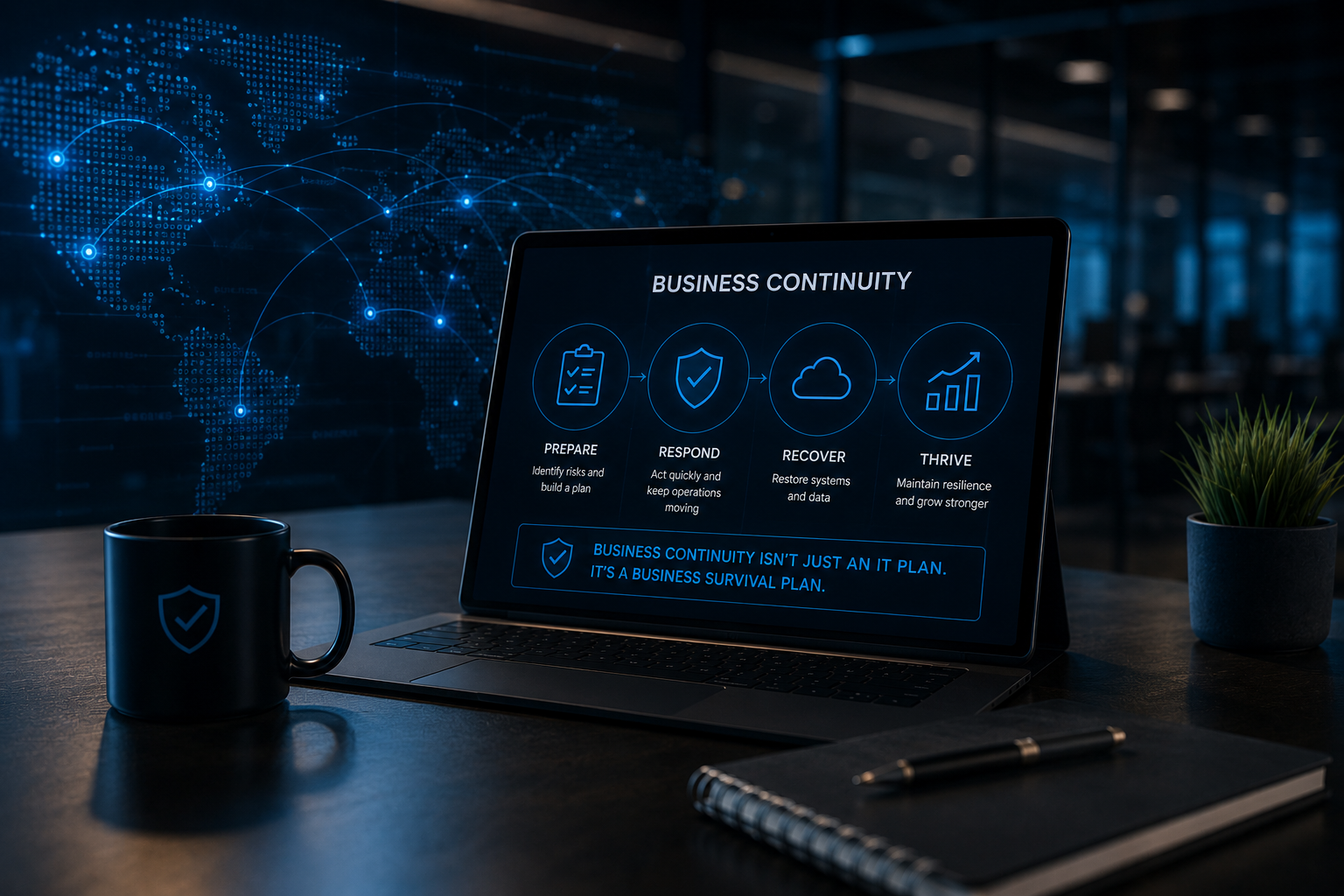
Business continuity is the capacity for a business to continue operations and generate revenue despite abnormal adverse conditions. These conditions can range from staff illness all the way up to natural disasters. Responses plans and redundant infrastructure all fall under the umbrella of business continuity. Strategies for implementing continuity vary extensively in effectiveness and cost. The price and man hours a business can spend planning for every eventuality is near infinite thus, finding the right mix of policies is a worthy test of risk management and fault tolerance. Below we'll go over some of the most common strategies that both small and medium businesses can employ to give you an idea of what to consider when developing your own business continuity plan.
Backups
Backups are often seen as the bare minimum for continuity. Backups enable businesses to recover from unexpected computer failures, malware, and the wayward coffee spill. However, there are some cheap and effective means to multiply the effectiveness of your backups. With backups alone, it can take a week or more to resume normal operations. Hardware needs to be ordered, delivered, and setup before recovery operations can even truly begin. To leverage backups effectively business should first identify critical machines. Servers, specialized workstations, or any computing device that would spell disaster if it became unavailable. For critical workstations, businesses should consider purchasing spare hardware and have their IT teams have it already setup and up to date so it is only a matter of file recovery to get that station back up and running. File Servers should sync to either a redundant server or cloud so that the files remain accessible while the primary server is repaired or replaced. Live Application servers are harder to build in redundancy and thus more costly. However, for the business who can't afford to lose access to critical applications it may be worth it to setup high availability. This strategy involves setting up a redundant server either at the business, the cloud, or at a secondary location. Both servers are synchronized so that should the primary fail the secondary server takes over and outages are measured in seconds.
Networking
The modern era requires business to be online. Whether it's running your website, online shopping, or just email; business relies on the internet to connect them to their customers. For some businesses being off the network is a minor inconvenience or even an excuse for an impromptu day off. For others it's a serious loss of revenue. Network outages can range from minutes to days depending on the severity of the cause. If being online is a high priority, then you should consider redundant connections. A redundant connection keeps you online when your primary source experiences issues. Setting up a redundant connection involves special routing equipment, and you should carefully consider which internet service provider is appropriate for your second uplink. Your second uplink should be a different medium or researched to verify the underlying infrastructure is separate. ISPs often share cables and backbone infrastructure with each other, and you need to make sure that a downed utility pole won't compromise both of your internet uplinks. For small to medium-sized businesses using a cellular or satellite connection are excellent options.
People & Roles
Business continuity doesn't just involve technology. People are the real bread winners in any business and can't be overlooked. Critical business operations should have multiple people trained for them. Whether it's multiple capable people organized in a department or cross training individuals it's important that one critical employee calling in sick doesn't cripple the business. Having clear job roles, procedures, and polices makes this process easier to define and train redundancy. This includes management too! A boss that knows his staff can handle the day to day while away is a happy boss. Small businesses should be wary however. A business where every employee has access to everything is its own problem in the making. Your new intern shouldn't have access to your sensitive HR and payroll systems. Businesses need to carefully construct a plan and write it down to ensure critical roles are fulfilled while security is maintained.
Your Place of Business
Your place of business also needs to be considered. Floods, power outages, fires, and gas leaks are all examples of a myriad of potential scenarios that might make your office unavailable for an extended period. Consider setting up critical roles with work from home capabilities. If your business has additional offices or buildings ensure these secondary locations have the necessary infrastructure and capacity to host your most critical functions should they need to temporarily move there. Run books, cloud infrastructure, and spare computers are all immensely helpful in getting your operations moved and functioning within hours instead of days. A business that can continue to service customers despite 2 feet of water in their office is the hallmark of success.
A business that can continue to service customers despite 2 feet of water in their office is the hallmark of success.
Want a personalized risk assessment?
Get a clearer view of where your IT, security, and support strategy stand today.
Anonymous Security Expert
VanderNet Security Team
Our anonymous security expert brings deep frontline experience in business continuity planning, disaster recovery, and resilience engineering, sharing practical guidance from real-world engagements.